Resize any image,
AI fills the gap
in seconds.
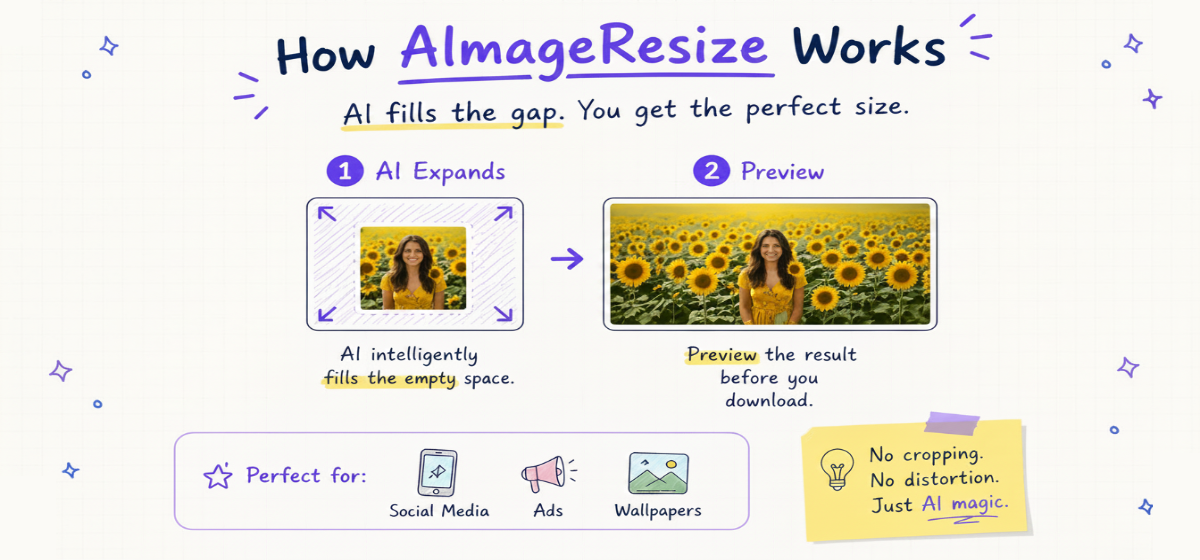
Upload a photo, pick your target dimensions, and AI intelligently fills
the empty space. Perfect for social media, ads, and wallpapers.
Sign in free — get 3 free AI generations
Drop your image here
or click to browse — JPG, PNG, WebP
Demo Result
AI Smart Expansion
Everything you need for
perfect image resizing.
Powerful AI features wrapped in a simple, secure, and blazingly fast interface.
Privacy first
We never store your images. Files are processed securely and deleted immediately after generation.
AI Outpainting
Go beyond cropping. Our AI intelligently fills the expanded canvas for a natural, seamless look.
Lightning fast
Client-side processing means results in seconds. No long upload waits or server queues.
All Formats
Works with JPG, PNG, and WebP. Convert and resize without losing a single pixel of quality.
Multi-Device
Use it on your phone, tablet, or Mac. The interface adapts perfectly to any screen size.
Precision Resize
Need 512×512 or 1080×1920? Enter exact dimensions for pixel-perfect results every time.
Social Presets
One-click presets for Instagram, LinkedIn, and Ads. Never guess an aspect ratio again.
Simple, Credit-Based Pricing
No subscriptions, no hidden fees, credits never expire.Pay only for what you use.
PRO PLAN
Reliability + Quality
200 Credits(Never Expired)
What's included
- Built for frequent creators & sellers
- Better consistency for product images
- Cleaner edge blending (less AI artifacts)
- Priority processing speed
- Lower cost per image
- Credits never expire
- 24/7 Priority Support
Frequently Asked Questions
Everything you need to know about resizing images online — fast, secure, and without losing quality.
AImageResize uses AI-powered outpainting to expand your canvas instead of stretching pixels. When downscaling, the tool applies smart interpolation that preserves sharpness. For the best results, always start from the highest-resolution source file you have.
Simply type your target width and height into the dimension inputs. You can enter exact pixel values such as 512×512, 240×240, or any custom size. The AI will intelligently fill any empty space created by the new aspect ratio.
AImageResize works entirely in your browser — no app install needed on Mac, Windows, or any device. Just open the site, drag your image onto the drop zone, enter your target dimensions, and click "Resize with AI". It's faster than using Preview or Photoshop for quick resizes.
Yes. Open the Export Settings panel and adjust the quality slider to reduce file size. Lower quality settings produce smaller files while keeping the visual appearance acceptable for web and email use. WEBP format delivers the smallest file sizes at the same visual quality.
AImageResize supports JPG, JPEG, PNG, and WebP. You can also convert between these formats during the same resize operation — for example, resize a PNG and export it as a smaller WebP file in one step.
We never store your images on our servers. While AI outpainting sends the image to our secure processing endpoint, it is deleted immediately after the results are delivered. We only store your usage count and credits to manage your account.
Use the Quick Presets (1:1 for Instagram, 16:9 for LinkedIn banners, 9:16 for Stories) or enter exact dimensions manually. The AI fill feature is especially powerful for converting a portrait photo into a landscape banner without cropping out important content.
Yes, this feature is coming soon! You will be able to specify dimensions in pixels, inches, centimeters, or millimeters — making it easy to prepare images for print documents, presentations, or physical media alongside web projects.
Yes, signing in with Google is required to use the AI resize feature. Once signed in, you get 3 free AI generations as a trial, with no payment needed to start. If you need more, you can purchase credit packs starting at $4.90 for 30 credits. Credits never expire and there are no monthly subscriptions.